
The data list on the WealthPoint screenings tab has been customized to help manage screenings when the volume is high.
The columns are:
- Name
- Description
- Research group
- Status
- Status message
- Started by (user)
- Started (date and time)
- Ended (date and time)
- Duration
- Number of records processed
- Server name
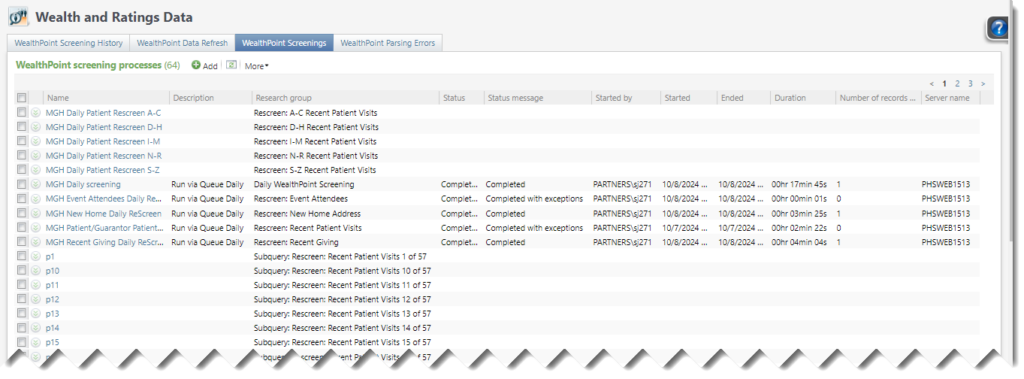
In addition, this data list now includes a multi-select option to delete multiple rows; previously, rows had to be deleted one at a time. As with the original Delete task here, an error message is generated if the screening process exists in a queue.
