
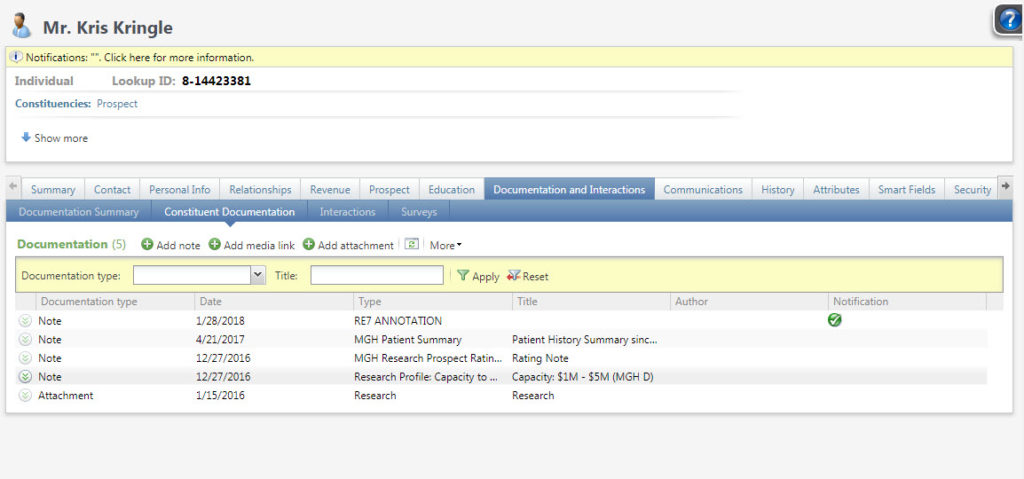
Documentation can be either a note, an attachment or a media link.
Good to Know!
- Links are web links, not a link to a specific document or folder on our servers. Internet Explorer is the only browser that allows browsing to UNC links (e.g. \\Server\Volume\File). Accessing media links with UNC paths is not supported for security purposes in Google Chrome and Mozilla Firefox. This is a limitation of Google Chrome and Mozilla Firefox – not CRM.
- Additional web addresses or URLs converted here
- Conversion Notes:
- In RE note authors is a text field, and in CRM it links to a constituent. We will convert note authors only if a constituent has an attribute of “CRM Notepad Author” that matches the RE notepad author description
- We moved the first 50 characters of the RE note descriptions to the CRM note title. If the RE description was longer than 50 characters, the full description will also appear in the text of the note. For attachments, we added a custom field called “Description”, if the RE media description was larger than 50 characters, the full RE description was added to the Atlas attachment description field.
- Recognition and donor honor roll names for organizations were moved to attributes because some were longer than 50 characters.
- Media that was linked to a proposal converted as Plan Attachments in CRM
- Constituent notes converted from the RE Notes tab, and attachments from the RE Media tab. However to preserve formatting some notes were converted to attachments.
- RE notes and media linked to file drive locations that no longer exist (e.g. the file name changed or was moved) cannot convert as the original document cannot be found
- Extra web addresses from RE links tab convert here as links
How Do I?