
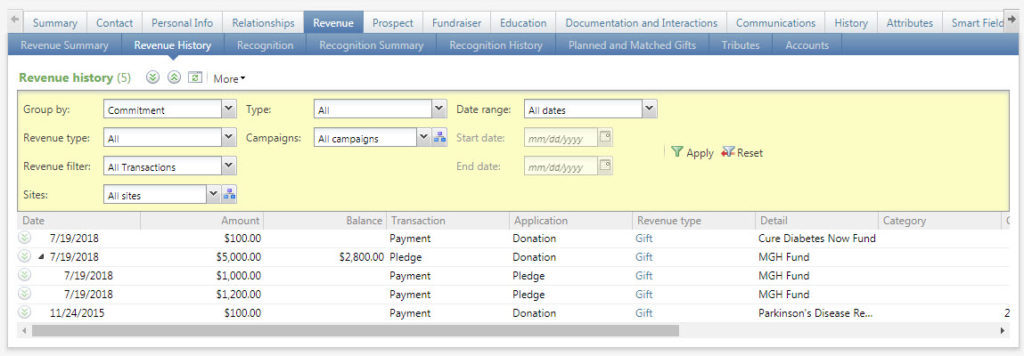
All hard credit transactions from this constituent
Good to Know!
- Watch your filters! They are sticky, so once you set them they will stay that way until you change them.
- The Group By selection will display donations either one by one, or will group payments under their associated pledge
- For additional information on specific revenue fields see Revenue Transaction Detail
- Check Date: the check date field is not required data entry for gift processing and the field does not surface on the revenue transaction record in Atlas. The field is accessible through query and reporting and its use may be determined at the affiliate level.
How Do I?
- Find soft credits?? Click on Recognition History. Revenue history shows hard credit donations from this donor only; the recognition history tab shows both hard and soft credit donations
- envision link to detail on getting started section that discusses how the filters/groups work and the recommended Partners setting