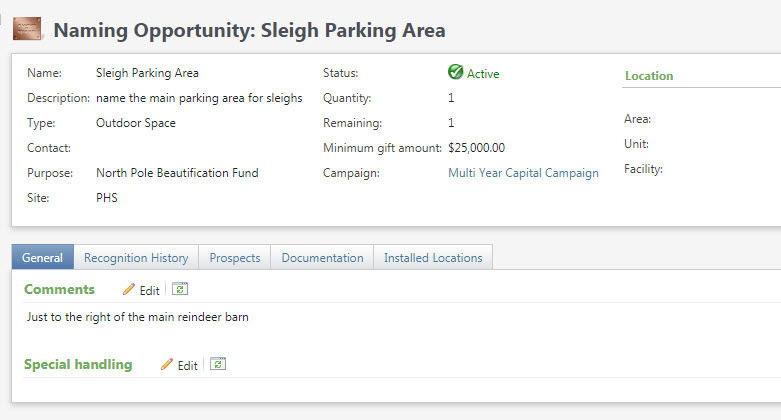
Naming Opportunities are added and managed on the Fundraising tab. They are linked to purposes, prospect plans and either revenue or constituents.
Good to Know!
- Once the naming op is created, you can add additional information and link it to either a constituent or to specific revenue. We have a customization to add attributes to this area.
- Conversion notes: Naming ops are constituents in RE, but Atlas has a dedicated place for this information. We considered converting our RE data here, but ran into issues so naming ops will convert to CRM as they are in RE. There will be a post conversion task to import and re-enter as necessary.
Creating a Naming Opportunity

Add fields as appropriate to create the opportunity.
NOTE: to associate an opportunity to a medical area we are using the unit area on the facility, see below
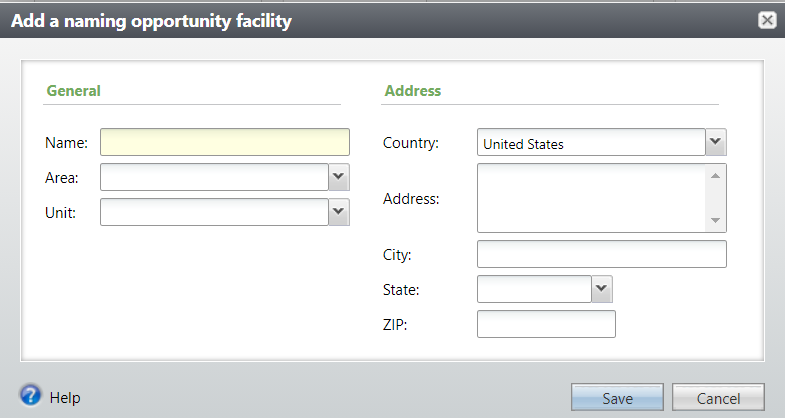
Create a facility for each combination of building, area and unit
Name = Building
Area =
Unit = medical area
Managing Naming Opportunities
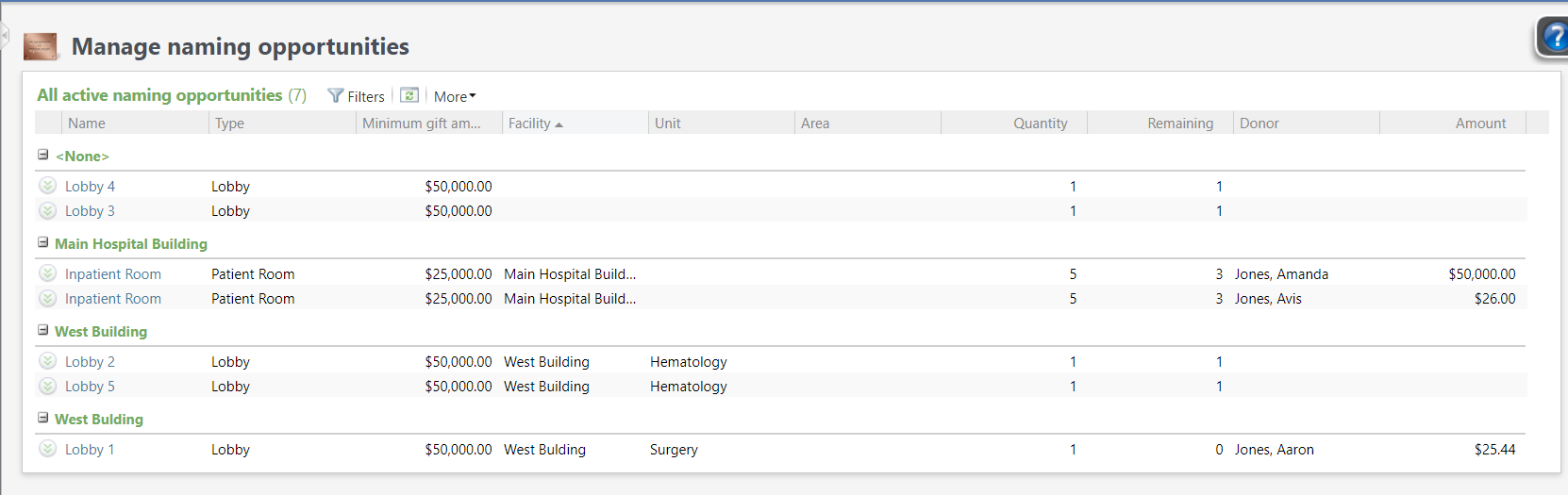
There are 2 helpful views of available opportunities. Fundraising/Manage naming opportunities show a view below of all active naming ops.
Note:
- prospects linked to a naming op are not visible here, to see that click into each op and look at the prospect tab
- If you have one naming op record with quantities > 1, a row will appear for each naming op that is “sold”, see Inpatient Room below
You can also view naming ops from the purpose tab, this does show the number of prospects
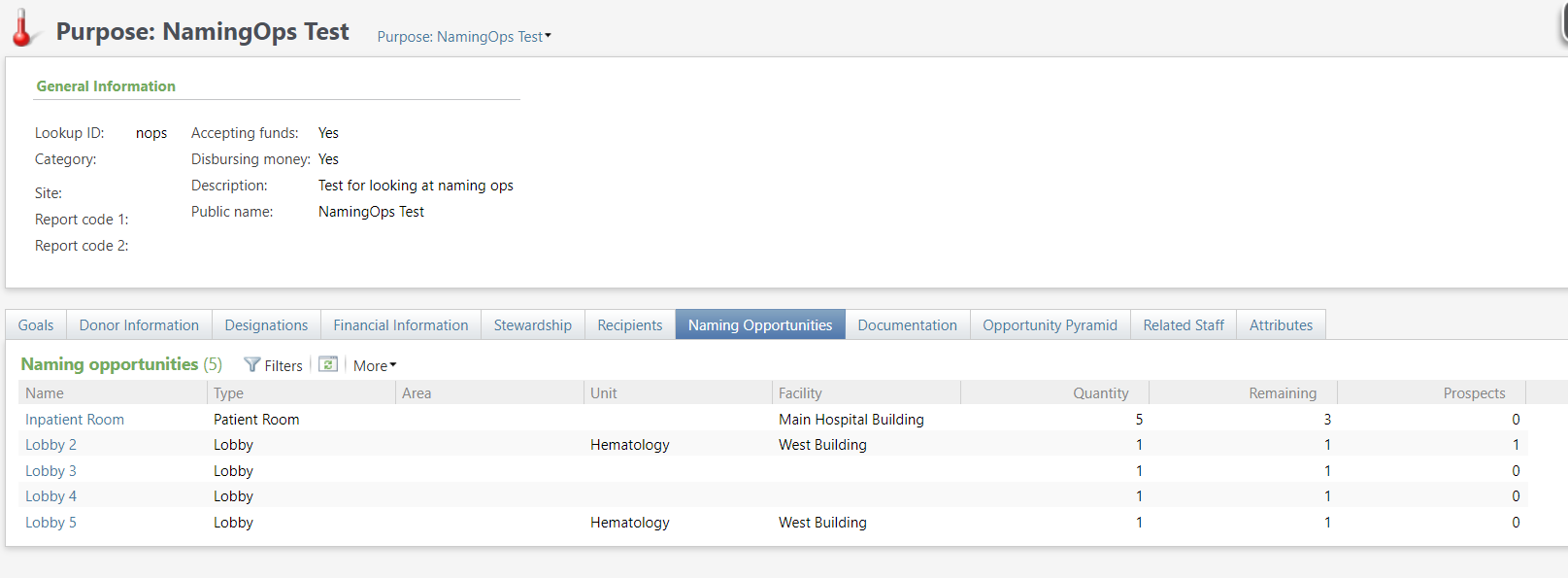
Reserving a Naming Opportunity
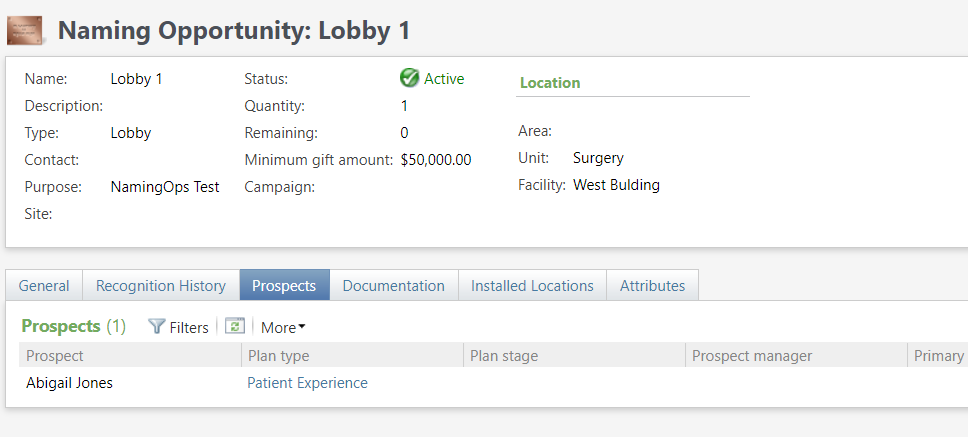
To reserve a naming opportunity you link a plan opportunity to the naming op. These are visible on each naming op if you drill through.
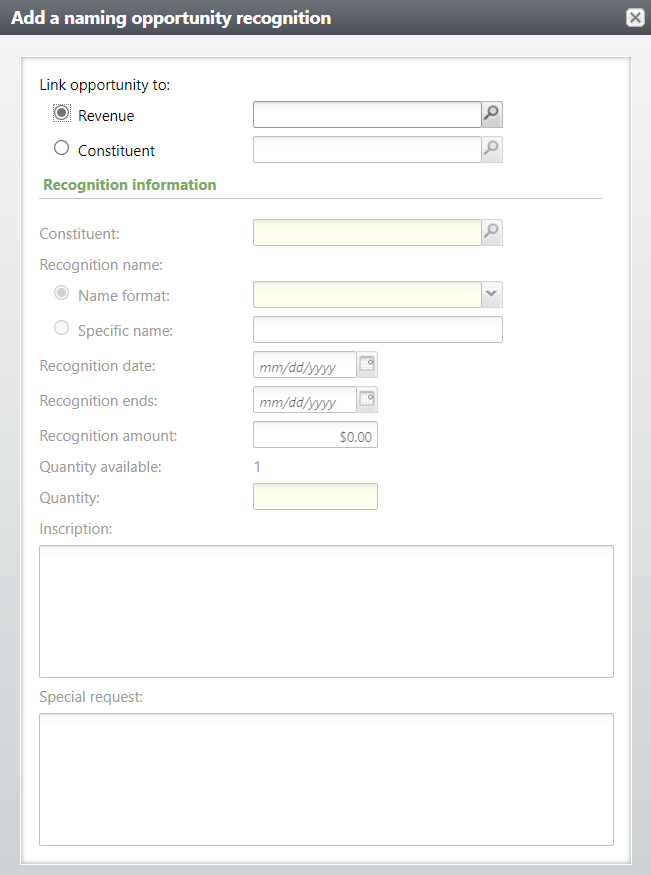
Purchasing a Naming Opportunity
Drill into the naming op, and choose Recognition History. Naming ops can be linked to either a specific gift or to a constituent. Specific inscription information and special handling can be added.
Plaque Installation
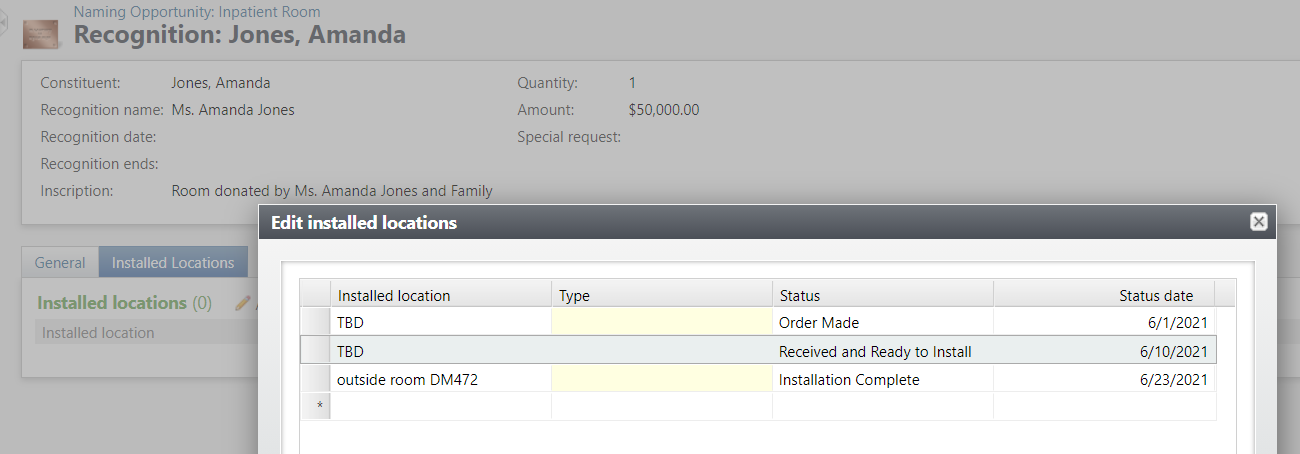
Click on the recognition name to add an installed location for a specific recognition.
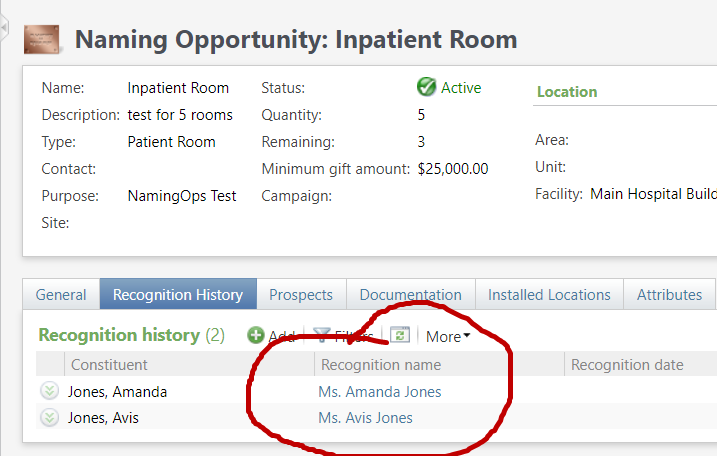
You can add multiple rows for each recognition to track ordering and installation of recognition plaques. Additional comments can also be added.