
For Groups constituents, such as Boards and Committees, can be marked inactive by a Mark inactive task in the Tasks list on the left of the Atlas screen.
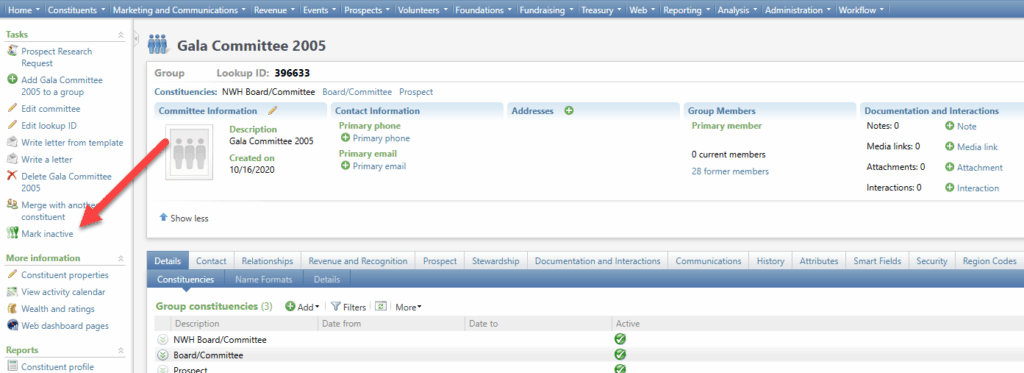
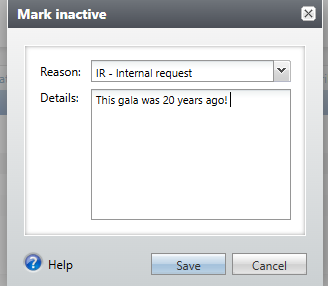
When any type of constituent is marked inactive, Atlas prompts the user to select a reason code and enter a comment….
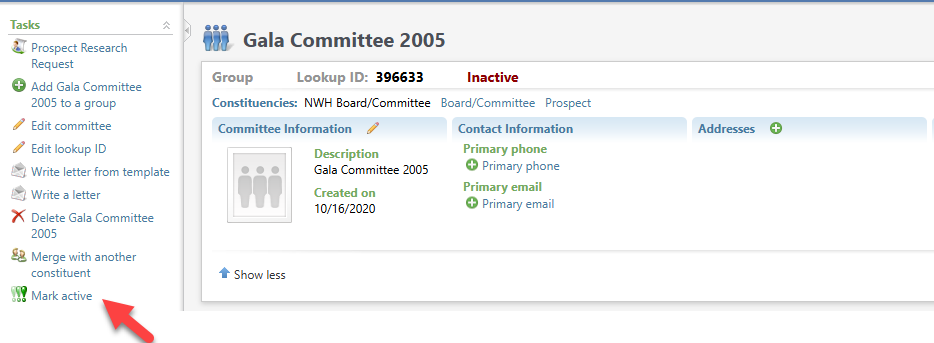
…. and the word Inactive appears in red in the header. On Inactive constituents, the task is now labelled Mark active, and the constituent can easily be marked active again.
Good to Know!
- Status and Inactive reason code and comment are included on the Constituent History tab. A future customization to easily end date active group members when a group is marked inactive is under consideration.
- Mark a group inactive does not make any changes to the Group members.
- This feature is permissioned to users with the Constituent admin role.