
Affiliate Administrators can change the Owner of any Business Process. This is useful when a user leaves your affiliate or if you want to transfer responsibility for a specific Business Process instance to someone else.
The Edit Business Process Owner feature can be used to change ownership for one or multiple business processes. To access this feature, go to the list of Application Users, click on the name of the user who owns the process(es) to change, and then on the Business Process Ownership tab.
To edit ownership on one business process, click on the chevron & then on Edit Owner.
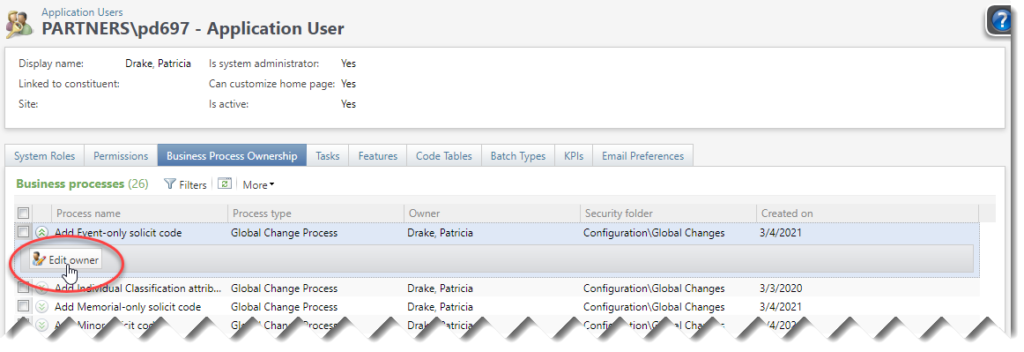
To edit ownership on multiple business process, click on the checkboxes in the first column to select them (or click on the checkbox in the data list header to select all of them). An Edit owner option will appear above the column headers.

The Edit business process owner window will open, listing the business processes you selected. Select a new owner using the Application user search window, and then click on Save.

Good to Know!
- The Edit business process owner feature doesn’t respect security roles; be sure not to change the owner to someone who doesn’t have access to that business process at all.
- You can also access the Edit business process owner feature via Administration >> Business Processes.
- A number of Business process are still owned by Blackbaud staff who assisted with the implementation of Atlas. There is no need to change this, but you can if you want.
How Do I?