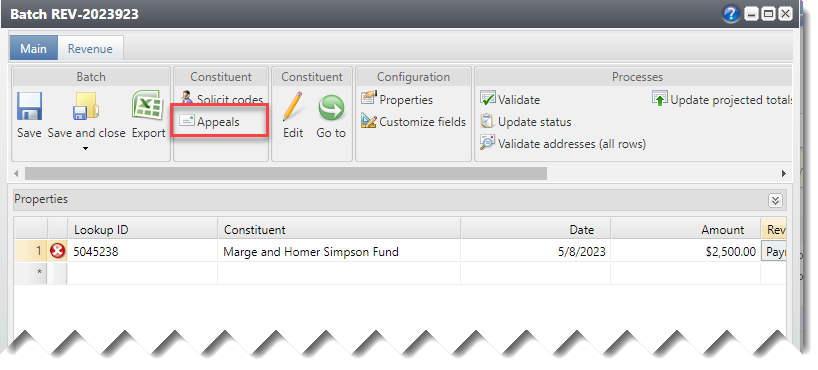
The Batch entry window contains an Appeals list to facilitate selecting the proper appeal for a gift where it is not known. This can occur when a gift is received without any sort of reply device, or if the constituent who received the appeal is different from the actual donor.
To access this list, click on Appeals. This option is only enabled after a Constituent has been identified.
By default, the list shows Appeals sent to the selected constituent and to any constituent with a Donor Advised Fund Advisor relationship to that constituent.
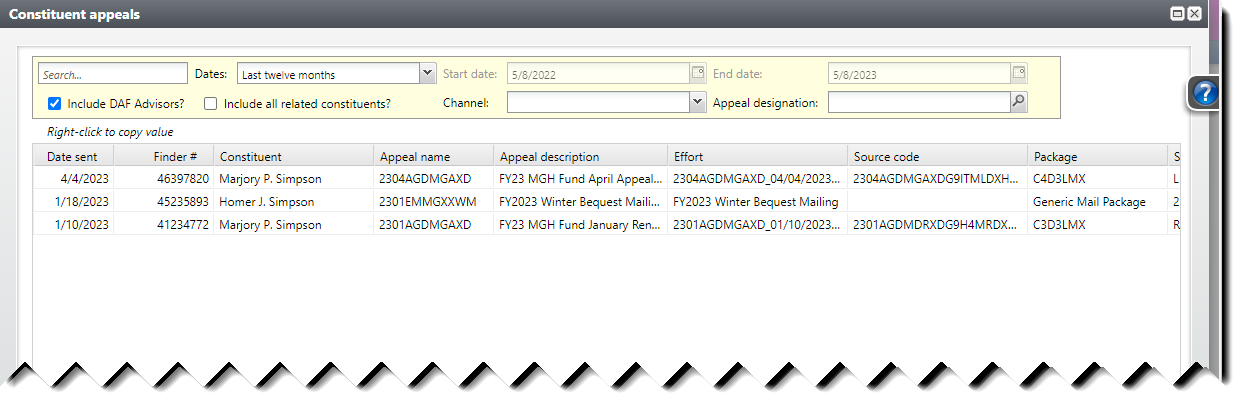
The list can be filtered by Date sent: Last 30 days, Last 6 months, Last 12 months, Current month, Previous month, Current fiscal year, Previous fiscal year, All dates, or Specific dates. Choose specific dates to enable the Start date and End date fields.
The list can be filtered by Channel and/or Appeal designation or use the text Search box to limit the result set.
Good to Know!
- Click on the Include all related constituents? checkbox to also show Appeals for constituents related to the selected constituents IF the relationship has active recognition credit sharing (typical with Spouse relationships).
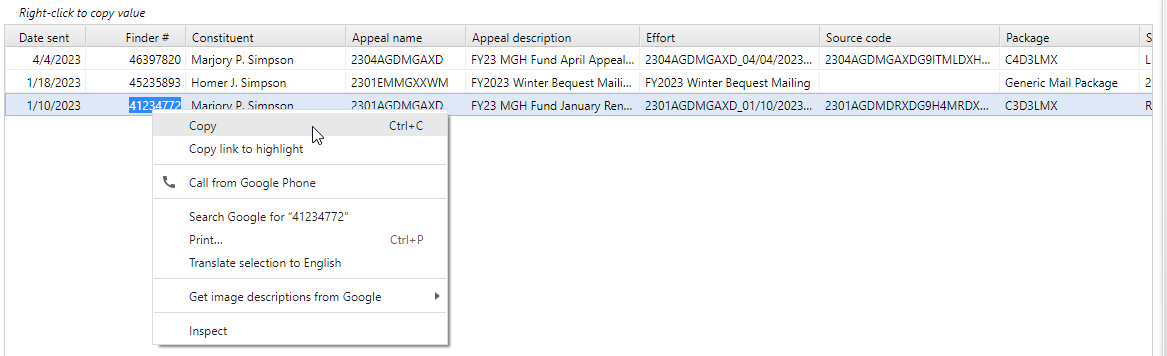
- To copy any value from this window, right-click on it and select Copy from the context menu. The value will then be available to paste into the proper column in the batch, either via right-click/paste or CTRL+V.