
This global change can be used to make a selection of fundraising plans historical.
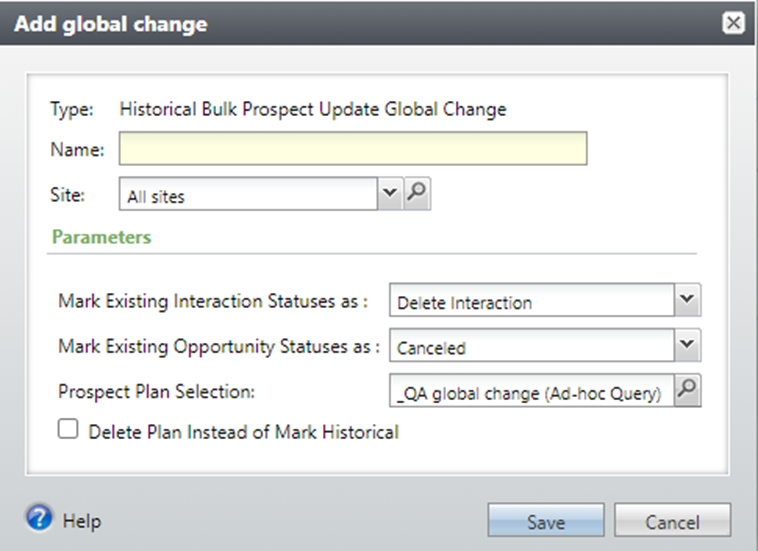
The parameters are
- Mark Existing Interaction Statuses as Choose from Delete Interaction to Delete interactions that are not yet completed, or choose Canceled, Completed, or Declined to update interactions. Note that interactions that are already marked completed won’t be modified.
- Mark Existing Opportunity Statuses as Choose from Canceled, Accepted, or Rejected.
- Prospect Plan Selection Search for and choose a selection of Prospect Plans to update.
- Delete Plan Instead of Mark Historical Check this box to delete all the plans in the selection instead.
Good to Know!
- When Plans are marked historical, Steps with Status = Pending or Planned will be deleted. (When you use the Make Historical Task for this, all Steps must be completed, cancelled, or declined.)
- The Number of records processed will typically show the number of prospect plans in the selection chosen, not the actual number of records updated.
- This global change was provided to us by BrightVine; you can find it in the BrightVine node.
- You can also use the Historical Prospect Plans Bulk Update List Builder to quickly mark plans historical or delete them; this feature doesn’t have the option of updating Opportunities and/or Interactions, though.
How Do I?
- links to other areas, longer blurbs