
When you delete an attribute in Atlas, the attribute value remains in the database. To the user, it looks like the attribute has been deleted, but it’s actually “orphaned” in an attribute table, which will continue to grow and may eventually cause space issues.
This BrightVine Global Change deletes these “orphan” attributes, either one attribute category at a time or for any kind of attribute.
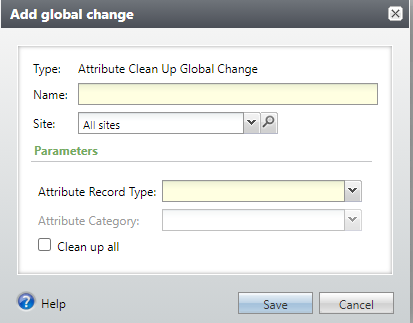
- Name: Enter a Name for this Global Change Instance.
- Attribute Record Type: Select a Record Type from the drop-down list (e.g. Address, Constituent, Interaction). Required if you don’t select Clean up all.
- Attribute Category: Select an Attribute Category for the Record Type selected above. Required if you don’t select Clean up all.
- Clean up all: Check if you want to delete all orphaned attributes in the database.
How Do I?