
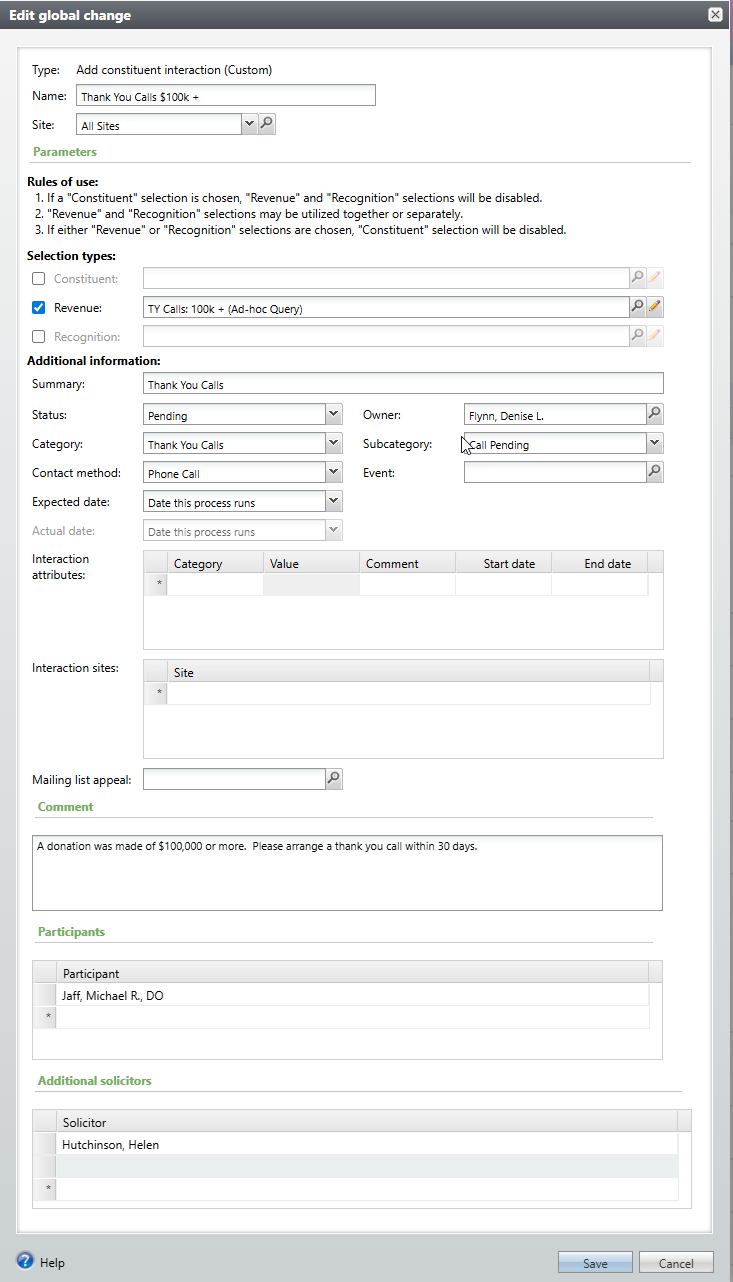
The global change will add constituent interactions and attributes based on either a constituent selection or a revenue and/or recognition selection. If a revenue and/or recognition selection is utilized, the global change will automatically add a link between the revenue record and the interaction. For each global change process, only one interaction should be added per constituent – if multiple revenue records are processed for the same constituent, the interaction would have multiple revenue links. Additionally, if the same revenue id exists more than once, the revenue id link will only be added one time for that transaction (i.e. if both a revenue and recognition selection are used, and the constituent is the donor and also the recognized person as will always be the case, only one interaction is added to the constituent for that revenue id).
How Do I?
- Manage the custom acknowledgement process and see which letters are in which stage? Go to Prospects, Stewardship Administration, Manage Custom Acknowledgements
- Associate an Interaction with Revenue Transactions?
Good to Know!
- The Mailing List Appeal parameter can be used to create interactions for the Appeal Mailing List Preview tab.
- The Expected date and Actual date parameters are dynamic. The options are Date this process runs, Specific date, X days after this process runs, and X days before this process runs.