
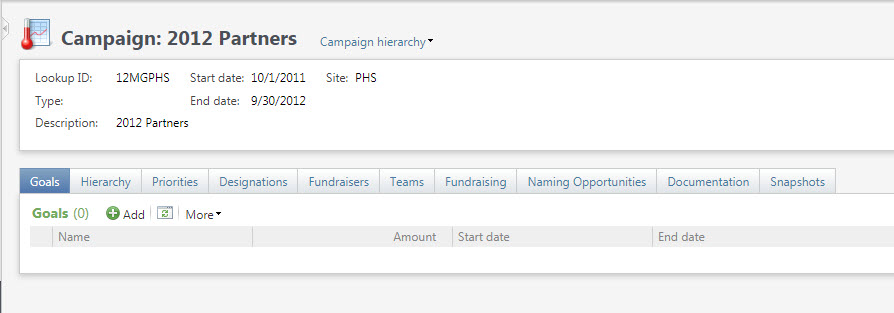
Campaigns provide a way to group fundraising initiatives and transactions. Campaigns can have sub-units called priorities, and can also be grouped into hierarchies.
Goals – campaigns can have multiple campaigns for designated time periods
Hierarchy – where this campaign lies in a campaign hierarchy. By default you will see a hierarchy with this campaign at the top
Priorities – Priorities are a way to additional break out this specific campaign into smaller units. Each priority can have its own goal.
Designations – specific designations linked to this campaign. Linked designations will default the campaign during gift entry
Fundraisers – individual fundraisers linked to this campaign. Note that the constituents need to have the “Fundraiser” constituent code
Teams – teams linked to this campaign, these can be a selection of fundraisers
Fundraising – displays opportunities and planned gifts linked to this campaign
Named Opportunities – naming opportunities linked to this campaign
Documentation – media, links and notes for this campaign
Snapshots – snapshots of reports/data associated with this campaign
Good to Know!
- CONVERSION NOTES:
- RE appeals linked to campaigns moved to campaign documentation. In CRM there is no link between appeals and campaigns
- CRM campaigns also do not have attributes, so the RE campaign attributes converted to campaign documentation
- BWH only is converting a subset of constituents that represent departments, divisions and medical specialties
- Pledges in RE cannot be associated with an event registration payment – if they are there is logic in the conversion engine that breaks the pledge/payment link, and in those cases campaign is not converted. These have been identified in a clean up report