
The form to create a new Work Item can be launched from many places in ADO.
If you’re using a dashboard on the web portal or Teams, you might have a widget like this one:

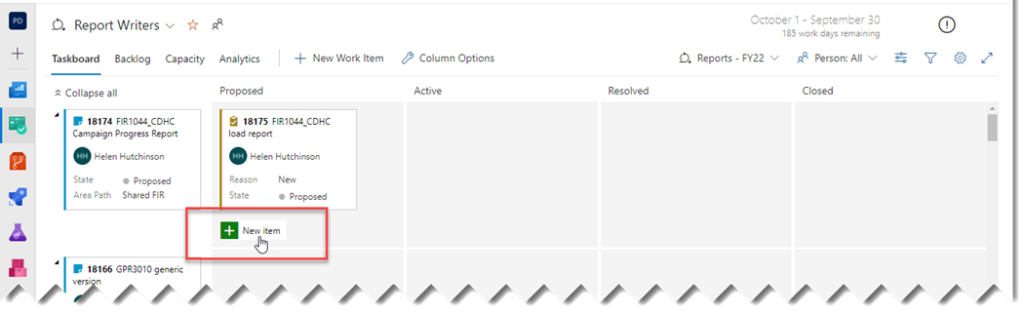
If you’re working on a Kanban board, you can click on this green plus symbol:
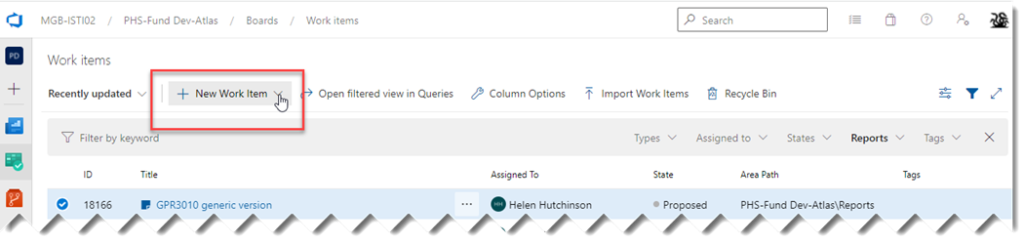
And there are a number of spots where you’ll see this New Work Item button:
All Work Items have four tabs: Details, History, Links, and Attachments.

The fields on the Details tab depend on the type of work item. This is an example of a Bug work item.

- Work Item Number and Work Item Number is set automatically by ADO. Title should be a short description of the issue; it is required.
- Owner This will typically default to the current user. In some cases, it will default to a developer; for instance, if you create a bug related to a specific requirement, it may default to the owner of that requirement.
- State and For New Work Items, State will default to Proposed, and Reason will default to New. See Workflow for more information.
- Area and Areas are used to organize Work Items. The Atlas Project uses the following areas.
- PHS-Fund Dev-Atlas. Use this for customization work items.
- PHS-Fund Dev-Atlas\Reports. Use this for Reports. For reports, there are also sub-areas to choose from, like Shared AGR, Shared DRR, Shared EVR,
We use Iteration to organize Work Items into releases, which are named after the date of the release. Work Items created from the New Work Item widget on a dashboard will default to the current iteration, while Work Items created from a board for a future iteration would default to that iteration.
Since reports are released continuously, the Iteration will just represent the fiscal year (e.g. PHS-Fund Dev-Atlas\Reports – FY22).
- Repro Steps and If possible, include step-by-step instructions for recreating the defect. Screenshots are always appreciated. For reports and business processes, be sure to include what parameters were used.
- System Info. If it wasn’t included above, list the environment and database name here.
- Enter a proposed fix, or the developer can use this to describe the actual fix.
- Priority Choose 1-4, 1 being the highest priority.
- Severity Choose 1 – Critical, 2 – High, 3 – Medium, 4 – Low.
What’s the difference between priority and severity? Severity is the degree of impact the defect has on the system, while Priority is related to scheduling. Users can determine severity, while Priority will typically be left to the Triage Team. Speaking of which….
- Triage Triage will default to Pending. Triage is the process of assigning levels of priority to tasks and defects to determine the most effective order in which to deal with them. The Atlas triage team meets weekly to review new work items; as work items are assigned and scheduled, this field is updated to
At the end of the form is a Discussion field where you can add comments. Use @ to mention a person; this calls up a list of ADO users to choose from, and ADO will send an email of your comment to whoever you select.

Good to Know!
- Add short bullets for important info about this area, conversion info, entry info, etc
How Do I?
- links to other areas, longer blurbs